Connect Dots
One continuous line has to touch every point in the shape, and no point may be used twice.
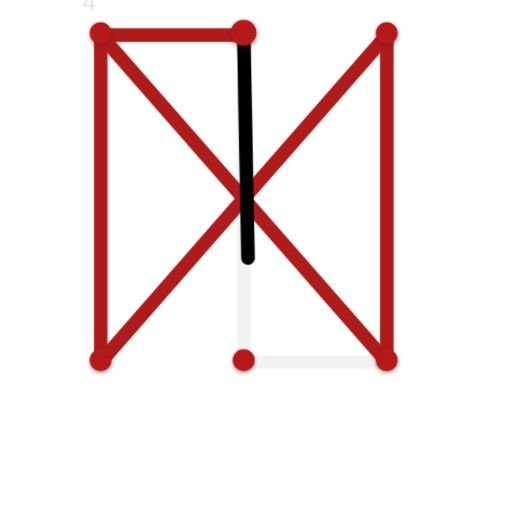
Connect Dots is a tracing puzzle rather than a matching one. Each level shows a shape marked out in points, and the whole figure has to be drawn without passing over the same point twice. The whole list is kept in the full Connect list.
That single restriction is what makes it a puzzle. Any shape can be drawn if retracing is allowed, so the work here is finding the one starting position and one order that covers the whole figure in a single unbroken pass. Begin in the wrong corner and you will get most of the way round before the last point turns out to be unreachable. The same heading covers Wild West as well.
The shapes vary from level to level, and FG Studio built the board at 800 by 600 for pointer or touch, which is a comfortable size for dragging a line accurately. Directly alongside it sits the Halloween Magic Connect layout.
Controls
Mouse, or tap on a touchscreen.
How to Play
- Study the shape and see where its lines branch.
- Pick a starting position and drag from it.
- Keep the line moving through points you have not used yet.
- Cover the whole figure in one pass to finish the level.
Tips & Tricks
- Start at a corner — an end point of the shape in Connect Dots is usually a safer opening than a busy junction.
- Count the branches — a junction with an odd number of lines running into it has to be a start or a finish.
- Plan the whole route — the rule bans reuse, so a route half traced is a route already committed.
- Restart early — spotting a stranded point three moves in is cheaper than finishing the figure and failing.
Frequently Asked Questions
What is the rule in Connect Dots by FG Studio?
Every point in the shape has to be covered by the line, and none of them may be gone over twice.
Do the shapes change in Connect Dots by FG Studio?
Yes, each level presents a different figure to trace.
Can Connect Dots by FG Studio be played on a touchscreen?
Yes, the 800-by-600 board takes a dragged finger as readily as a mouse.